What was the main reason for you to start using Task Manager?
We have a cleaning plan where everything is arranged and documented on paper. There is plenty of information available from control rounds and audits, but these were separate Excel files, very unorganized. One about the materials used, one about the methodologies, and another about the planning.
We couldn't see the forest for the trees anymore. We set out to find a way to get everything in order and ultimately spend less time on it.
In a large industrial bakery, it's a big challenge to ensure everyone is well aware of the cleaning plan so that, for example, the cleaning team knows what needs to be done, how it should be done, with what resources, and that they can ultimately show when something was done as evidence during audits.
What has Task Manager contributed to the solution of this challenge?
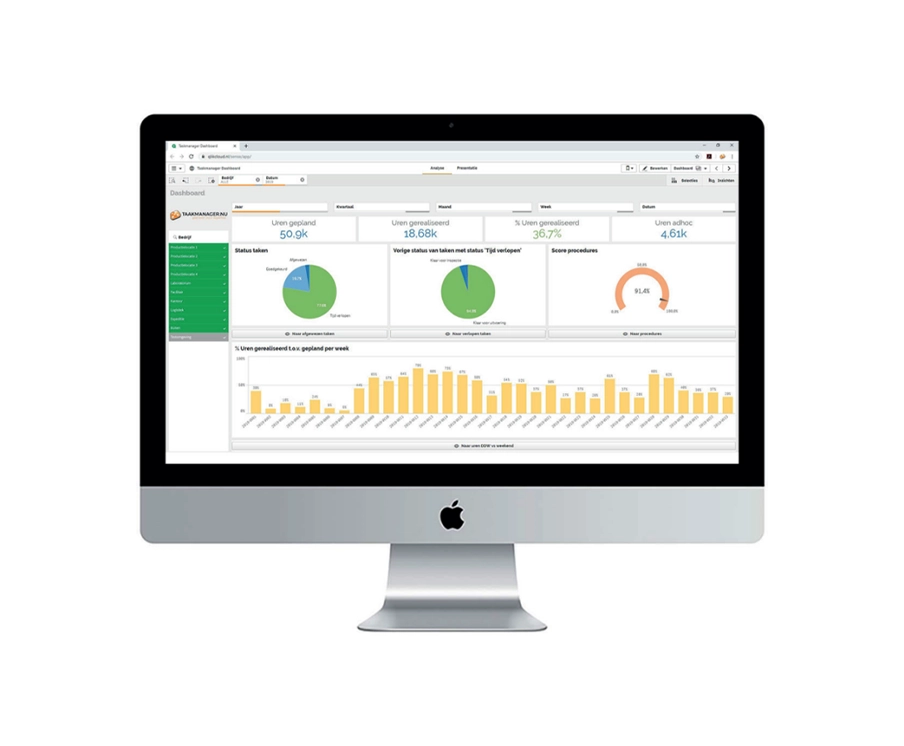
By clearly inputting the schedule, who does what, and task descriptions with all the necessary information like documentation about cleaning agents, safety sheets, and work instructions, there are no more questions about how something should be done. If something changes, this can be easily adjusted, such as a new version of a product information sheet when switching, for example, a disinfectant.
- We can take photos in Task Manager to document the final result after cleaning or to report problems with a photo attached.
- Task Manager adheres to the Plan-Do-Check-Act (PDCA) cycle, so we plan the cleaning, record the execution, check the execution, and if there are discrepancies, we can correct this again with an 'Ad-Hoc' task.
- We started small with the cleaning; the production cleaning plan is in Task Manager, as well as the facility part, including daily tasks like toilets and so on.
- But we are moving further, we have started entering various checks and checklists for the team leaders into the system. Here too, we eliminate loose lists and can initiate digitalization and improvement processes.